


You’ve poured hours into writing great content, but your website traffic still looks like a flat line. Everyone understands that Google rankings matter for bringing in new customers. Yet, the frustrating gap between publishing high-quality work and actually getting found often feels like an insurmountable wall. The best guide to finding online seo analyzer.
Marketing experts frequently claim search engine optimization is a secret science reserved for tech geniuses. In practice, industry data reveals that low traffic usually comes down to basic digital plumbing. Your website simply has a few “clogged pipes” blocking your SEO Visibility (how easily search engines can find and read your pages).
Think about a brilliant local coffee shop hidden away in a dark alley with no street signs. They might brew the best espresso in town, but without clear directions, hungry customers will walk right past. High-quality writing suffers the exact same fate when invisible technical barriers prevent search engines from understanding your site.
Spotting these quiet SEO issues does not require a computer science degree. Turning this technical mystery into a practical checklist immediately empowers you to improve your digital presence. A simple four-phase recovery roadmap focusing on visibility, relevance, experience, and authority resolves your biggest SEO challenges. Soon, you will know exactly how to repair these hidden leaks using only free tools.
Why Google Might Be Ignoring Your Site Entirely: Fixing Indexing and Sitemap Errors
Low traffic often occurs because of a missing foundational step: indexing (saving your website to Google’s massive digital database). Think of SEO like a library filing system; if your book hasn’t been scanned into the main catalog, no one can find it. When business owners search for “why is my website not indexing,” they usually just need to hand Google the right paperwork.
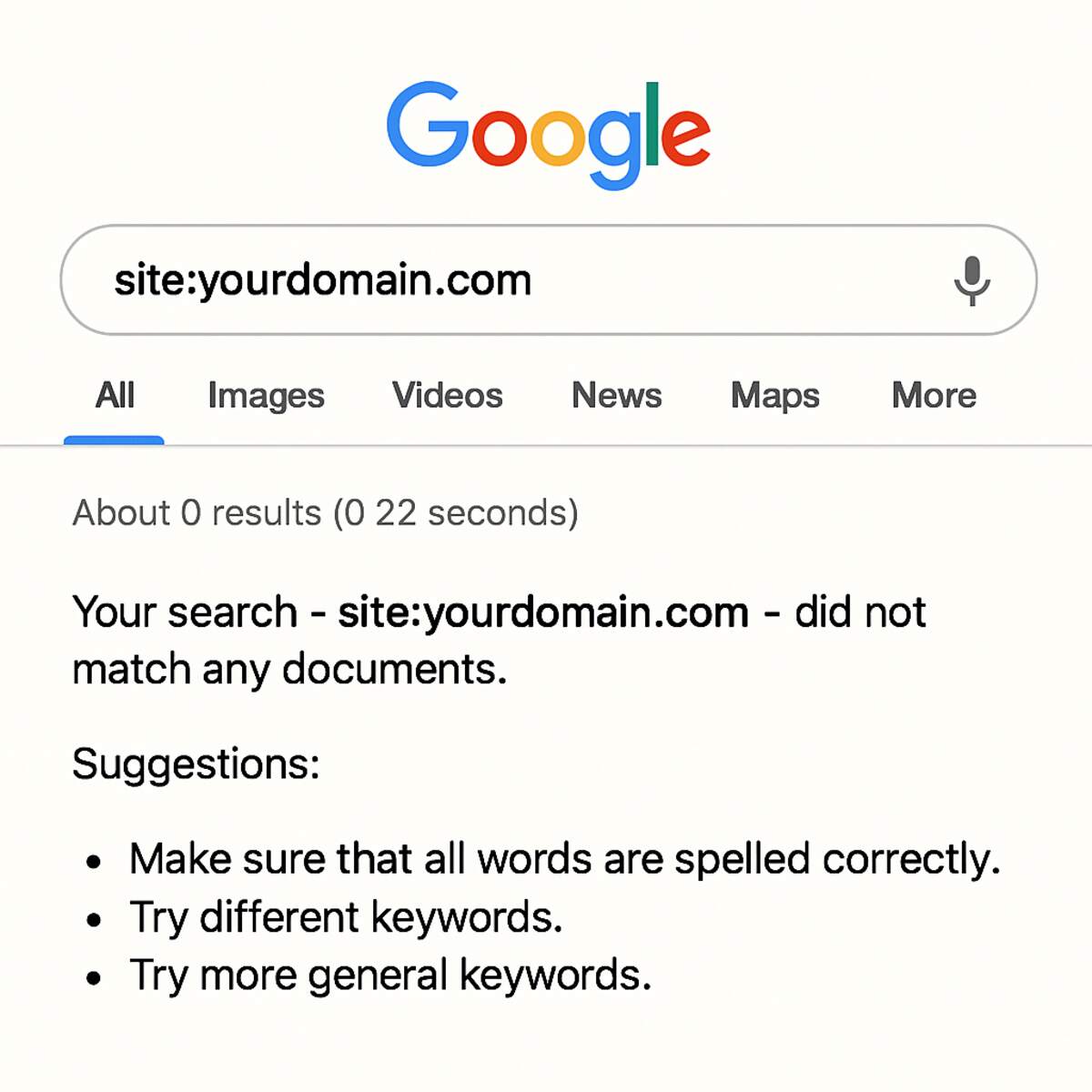
Before auditing site crawlability errors (finding out exactly what is blocking search engines from reading your pages), you need to verify if you are actually in the catalog. You can run this quick test right now for free:
- Open a regular Google search page.
- Type site: followed immediately by your exact web address (e.g., site:yourdomain.com).
- Make sure there are no spaces after the colon.
- Press enter and check if your pages appear.
If no pages appear, Google doesn’t yet know your business exists. The fastest free fix is to sign up for Google Search Console (a free dashboard that acts as a direct hotline to Google) and submit a Sitemap—a simple digital directory that links all your pages. New pages don’t show up immediately because Google needs a few days to read this map. Once your site is finally visible, you must convince users to click.
The ‘Blank Spine’ Problem: Optimizing Meta Tags for Clicks, Not Just Bots
Go to your homepage right now and look at the tab at the top of your browser. Does it simply say “Home”? Leaving this blank is one of the most common SEO mistakes. It is exactly like putting a great book on a crowded library shelf with a blank spine.
That brief text is your Meta Title, which pairs directly with a Meta Description (the short summary text beneath your link in Google). Together, these Meta Tags form your digital storefront sign. They tell search engines what you do while convincing real people to step inside.
Writing these elements purely for robots is a wasted opportunity. Instead, treat your descriptions like tiny billboards to boost your CTR, or Click-Through Rate (the percentage of searchers who actually click your link). A smart bakery doesn’t just write “Dallas Bakery”; they write “Fresh Sourdough Baked Daily. Pre-order Now.”
Ultimately, optimizing meta tags for click-through rate means combining your services with the exact benefits your customer craves. Catchy titles win the click, but your actual page must deliver on that specific promise.
Stop Guessing, Start Solving: How to Align Your Content with Actual Search Intent
Getting someone to click your link is only half the battle; if your page doesn’t answer their specific question, they will leave instantly. This quick exit drives up your Bounce Rate (the percentage of visitors who leave without clicking anything else). High bounce rates usually happen because of ignored Search Intent—the actual goal behind a user’s search. For instance, if someone searches “how to fix a leaky pipe,” they want a free tutorial, not a pricing page for plumbing services. Implementing search-intent-mismatch solutions, such as swapping a hard sales pitch for pure education, instantly improves your content quality and demonstrates that you understand your customer’s current needs.
Before writing a single word, Google your target phrase and analyze the top three results to see what format search engines already reward. You will find that every query falls into one of four distinct categories:
- Informational: The user wants to learn (e.g., “why is my coffee bitter?”).
- Navigational: The user wants a specific destination (e.g., “Starbucks login”).
- Commercial: The user is comparing options (e.g., “best espresso machine”).
- Transactional: The user is ready to buy right now (e.g., “buy coffee beans online”).
Matching your article to the correct category keeps visitors on your site longer and builds genuine trust. But what happens if you have multiple blog posts that address the exact same intent? You might accidentally confuse search engines.
When Your Pages Compete Against Themselves: Identifying and Fixing Keyword Cannibalization
Ever wonder why your slower competitor is outranking you? It is often because you are accidentally fighting yourself. Imagine three salespeople in a store, all shouting at the same customer. That is keyword cannibalization—a frustrating mistake where multiple pages on your website target the exact same keyword. Google gets confused about which page is the true authority, so it simply gives up and ranks none of them well.
Finding this invisible trap takes seconds using a quick Google trick. Just type site:yourwebsite.com followed by your target phrase to see how many of your own pages compete against each other. If you see five short blog posts about “best soy wax candles,” you need to consolidate them into one massive “Power Page.” The best method for fixing keyword cannibalization involves merging those scattered, weak thoughts into a single, ultimate guide that proves your expertise.
Cleaning up your site requires care so you do not leave behind frustrating broken links. When you delete the old competing posts, you must set up a Redirect (a digital forwarding address that automatically sends visitors and search engines from the deleted URL to your new Power Page). Afterwards, you can use clear internal linking for topical authority to connect related subtopics back to this master guide. Now that your content is flawlessly organized, your next challenge is ensuring those pages load fast enough to keep people reading.
The ‘Patience Threshold’: Core Web Vitals and Why Speed is Your Greatest Ranking Factor
Imagine walking into a bakery, only for the front door to get stuck for five seconds while you stand in the cold. You would probably just leave. Google measures this exact digital frustration using Core Web Vitals (a set of invisible grading metrics that score how fast your page loads and responds). If your site tests a visitor’s “Patience Threshold,” Google simply stops recommending it to searchers.
Have you ever checked how your site feels on a phone? Most searches now happen on cellular networks, making mobile-friendly website troubleshooting your absolute top priority. You can instantly benchmark your own site for free using Google’s PageSpeed Insights tool, which quickly flags the “heavy” elements that are weighing your pages down.
Fixing these delays does not require a computer science degree. As a basic core web vitals optimization guide, you can dramatically speed up your site today with three code-free changes:
- Image Compression: Shrink large photo files using free online tools before uploading them so they load instantly.
- Plugin Purge: Delete unused software add-ons from your website backend that secretly run in the background.
- Better Hosting: Upgrade your website server (the digital real estate where your site lives) to a faster provider.
Speeding up your load times keeps impatient visitors happily reading your perfectly organized content. However, even a lightning-fast page is useless if it leads visitors to a missing destination.
The Hidden Cost of ‘Dead Ends’: Cleaning Up Broken Links and Crawl Errors
Imagine giving a delivery driver a map with roads that end at demolished buildings. Every time a search engine or customer hits a dead end on your website, they encounter a 404 error (the standard “Page Not Found” message). While you already know this frustrates human visitors, it also silently damages your Google ranking. Search engines assign your site a “crawl budget,” which is simply the limited amount of time they spend crawling your pages each day. If Google wastes that precious time hitting missing pages, it leaves before discovering your profitable new content.
Finding these invisible roadblocks does not require expensive software. You can easily spot them by running your website’s address through free broken-link checker tools online. These free scanners act like digital building inspectors, quickly walking through your local bakery or consulting site to ensure every button actually goes somewhere. Instead of manually clicking through hundreds of links, these tools highlight exactly where the broken links are hiding in a matter of seconds.
After auditing site crawlability errors, the fix is incredibly straightforward: tell the search engine where the content moved. Using your website’s built-in settings, you can forward broken links to a relevant active page, instantly rescuing lost traffic. Transforming frustrating dead ends into smooth detours improves the user experience and earns back Google’s trust. With your pathways completely clear of roadblocks, you are finally ready to connect them intentionally by filling the gaps in your digital map.
Filling the Gaps in Your Digital Map: Using Internal Linking to Build Topical Authority
Think of your website as an interconnected library, not random flyers. Connecting a popular blog post to a new service page passes along digital trust—often called “SEO juice.” This roadmap establishes internal linking for topical authority (proving to Google you are the go-to expert in your niche).
Creating these pathways keeps visitors exploring longer, but making poor connections is one of the most common SEO mistakes. Instead of vague phrases, you must use descriptive Anchor Text (the actual clickable words). Clear text tells search engines and your customers exactly what valuable information comes next.
Build the perfect connection by reviewing these three elements before hitting publish:
- Relevance: Does the linked page naturally expand on the specific subject your visitor is currently reading?
- Anchor Text: Are the clickable words highly descriptive (e.g., “our organic coffee beans”) instead of generic (“Click Here”)?
- Location: Is the link placed naturally within your main paragraphs rather than buried at the bottom of the page?
Mastering these visible text pathways is just the first step in properly translating your website for search engines. Once your pages are smoothly tied together, you must address the hidden code.
Beyond Keywords: Why Missing Image Alt Text and Schema Markup Make You Invisible
Imagine walking into a grocery store where all the product labels are completely blank. That is exactly how search engines feel when they crawl your website and find images without descriptions. While you already know how to upload a photo to your site, Google cannot actually “see” that picture of your storefront or new product line. Instead, it relies entirely on Alt Text (invisible background text describing the image) to understand what you are showing. Taking the time to write descriptive alt text that includes secondary keywords unlocks a massive new traffic source: Google Image Search.
Implementing these missing image alt text fixes is one of the easiest ways to outrank competitors who lazily leave their files named default camera formats. When you upload your next photo, simply fill in the alternative text box with a plain-English description of the visual.
Beyond images, you can also translate your specific offerings for Google using schema markup for rich snippets. This is simply background code that highlights key details—like five-star customer reviews, recipe times, or product prices—so they appear directly on the search results page to grab a buyer’s attention. Once your on-page elements like images and snippet data are fully optimized to stand out, it is time to look at how the rest of the internet views your site.
Backlink Quality Over Quantity: Identifying Toxic Links and Building Real Authority
You already know that getting other websites to link to yours is helpful, but not all links are created equal. Think of backlinks like references on a job resume. If a respected local leader vouches for you, you look highly trustworthy. If a known scammer vouches for you, that association actively hurts your business. This reputation transfer is called Link Equity (the SEO value passed between websites). That is why earning one mention from a legitimate industry blog always beats buying 1,000 cheap spam links—a risky shortcut that often causes long-term damage.
Protecting that hard-earned reputation means monitoring who references your website. When shady, low-quality sites point to yours, they create “toxic backlinks” that signal to search engines you might be trying to cheat the system. While you cannot control the entire internet, identifying toxic backlinks is straightforward if you watch for these three red flags:
- The linking site is an entirely unrelated niche (like an online casino linking to your local bakery).
- The page features random foreign-language text that does not align with your target audience.
- The website is overwhelmed by excessive ads and disruptive banners.
Ignoring these poor digital connections can eventually lead to a sudden drop in your overall traffic. Should that happen, your first Google search penalty recovery steps will involve using Google’s free “Disavow” feature to formally ask them to ignore those harmful links. Now that your site is technically optimized and your digital reputation is secure, you are ready to put everything together.
From Invisible to Indispensable: Your 30-Day SEO Recovery Plan
You started reading this with a frustrating problem: great content that nobody was finding. SEO probably felt like a secret language meant only for tech experts. Now, you know exactly what is going on behind the scenes. You have the ability to spot those invisible “clogged pipes” on your website—like missing page titles or confusing navigation—and actually clear them out yourself.
Remember that search optimization is a marathon, not a sprint. You won’t see overnight miracles, but that is actually a good thing. By addressing these structural issues, you are building “Cumulative Gains.” Every small tweak you make today acts like compound interest, steadily pushing your website higher in search results over the coming months.
To keep this momentum going without getting overwhelmed, you need a concrete schedule. Instead of trying to overhaul your entire website this weekend, break the work down into a manageable roadmap. Here is your simple, four-week checklist to secure the quickest wins first:
- Week 1: Technical (The Foundation): Check your indexing status, submit your sitemap, and fix any broken links so search engines can actually see you.
- Week 2: Content (The Relevance): Update your headings, write clear meta descriptions, and ensure your pages match the actual questions your customers are asking.
- Week 3: Experience (The Performance): Compress large images to speed up load times and check that your site is easy to tap and navigate on a mobile phone.
- Week 4: Authority (The Reputation): Reach out to partners for backlinks (digital “votes of confidence”) and claim your free local directory listings to build trust.
You no longer have to guess how to fix low search rankings or feel forced to hire an expensive marketing agency to do it for you. With this monthly schedule, you can systematically apply these updates during your regular coffee breaks. Start with Week 1 to see immediate results in how search engines read your site, and build your confidence from there.
Ultimately, optimizing your website shouldn’t feel like a punishment—it is a measurable competitive advantage. While your competitors are busy ignoring their missing image tags and slow loading times, you are rolling out the welcome mat for new visitors. Take that first step, fix your homepage title today, and watch your digital storefront finally get the traffic it deserves.
